Archive for 2010

Mon 13
Dec
2010

It is not uncommon to get struck at the beginning just when you are struggling hard to churn out something highly creative. Sometimes, you may find yourself banging your head against the desk in frustration since you cannot kick start a website design project or just not getting the exact phrase that could otherwise transform an ordinary article into rare piece of artistry. Now, if you are into a creative field, you will find it really hard to keep your creative juice flowing all the time. Just taking occasional breaks is not enough, you need to find out inspirations so that you can produce things that give value to users. Here in this article, we are going to share some cool tips to draw inspirations from different sources:

Learn to Share: – Sharing ideas with your colleagues and friends can help you a lot in difficult times. If you share ideas with your friends, they will also give you valuable inputs when you require them the most. Spend some times with those inputs and we believe, you will be able to produce something interesting and truly engaging.

Get Closer To Nature: – Nature is the most vital source of inspiration. Try to take a long break and observe different elements of nature minutely. Cut yourself off from the hustle and bustle of country life and concentrate on exploring different facets of nature. It will definitely have a positive and soothing impact on your creative mind.

Solitude: – Take a stroll in the garden or go for a long drive. This will take strain off your mind and make you feel relaxed. Switch off your mobile phone and send your laptop to hibernation. It will have rejuvenating effects on your mind without your being aware of it. Take a retreat from the clamor of the material world as it will do good to you.

Try Something New: – If you are doing the same thing over and over again, boredom is sure to grasp you sooner or later. Do something new, as it will help you unfurl your creativity. Moreover, you will come to realize your strengths and weaknesses. You will learn new things that may prove helpful later on.

Keep a Notebook: Note down your thoughts and ideas in pen and paper, as it may prove useful later on. Sometimes, you may chance on an idea and if you do not jot it down at that moment, you are likely to forget it.

Mac Os is usually known for its simplicity and high level of performance but still at certain point of time, you will realize that you need some external tools for facilitating some repetitive tasks. Since website design is a highly creative and complex task, you need to have a complete collection of website design tools so that you can lead an uncomplicated life. Here in this section, we are going to list some cool Mac Apps that you can find truly useful:

Hit list: - This is a refined Mac application that can help you uncomplicate your design career to a great extent. It is a simple and sophisticated application that lets you manage the daily chaos of modern life. With it, you can plan or forget things. Managing this tool is as simple as writing something on a piece of paper.

Time-out

Time out: - As you are into a creative field, you need to take breaks from your desk time to time to keep your creative juice flowing. There is no point in spending hours on desk if you fail to produce anything creative. “Time Out” is a useful tool that will remind you to take break on regular basis so that you would not have to struggle with stiff neck, backache etc. It comes with two kinds of breaks – Normal break and Micro break.

geekbench mac

Geekbench: – With this Mac Application, you will be able to measure memory performance and speed of the processor accurately and quickly. It is easy to operate and it is mainly developed to make benchmarks easy to run.

topnew secretbox

Secretbox: - If you are running short of places to keep your secrets intact, you should not miss this amazing Mac Application. It comes equipped with a simple interface where you can store SSN numbers, Passwords, Credit Card details etc without caring a fig for anything else on earth. You will have complete control over data, which is certainly an added advantage of this tool.

Crossover: - CrossOver Mac is easy to install and with it, you can install different games on your Mac. It comes with single click interface and that means, you are less likely to face any trouble while installing this powerful Mac Application.

Textexpander

Textexpander: - If you are tired of typing the same thing over and over again, TextExpander is the best tool that you should not ignore. It comes with customized abbreviations for frequently-used text strings. Whenever you type an abbreviation, this tool will expand it automatically.

Wed 08
Dec
2010

Facebook is now finally flaunting a fresh new look that is supposed to cheer up the spirits of its 500 millions members, who have been hitherto waiting patiently to get a glimpse of its new avatar. Dramatic improvements have been made in the profile section of Facebook to make it easier for the members to update information, learn more about new friends, tell their stories in an engaging way, and to share other interesting stuffs with their friends in a whole new way. In short, your social experience is going to get a new dimension with this new Facebook profile interface.

facebook introduction

Photos, Photos and Photos
The new Facebook Profile is basically all about photos. If you love to share images with your friends, this new interface is certainly going to be the best thing that you can have. The profile image is much bigger than what was before and you can display last five images right in the header section of your Facebook profile page, which is a cool addition.

facebook friends

Friends
This new interface is going to give you an excellent opportunity to demarcate your friends by tagging them as teammates, best friends, family members or colleagues. Moreover, options are there to create new groups of friends.

A New Introduction Section
Now, you can add more details about your personal and professional life in Facebook Profile. You can add for example, where you are from, where your office is located etc so that people can find you easily.

Photos and Friends Pages
A new “infinite scroll” feature has been added in the new Facebook profile section, which makes browsing photos of your friends a fulfilled activity. It is faster and smarter. The renovated Friend page will now allow you to find out your friends since you can search by names, city etc. Thus locating your friends over Facebook has become a bit easier.

facebook profile

A Different Experience
From now on, you can share your interest and activities in a different way. You can list the things that you want to share with your friends. You can list your projects, sports teams, favorite musicians and other interesting things here. Get connected to people, associations etc that you would like to follow and admire. These and all will now be presented with images in the profile section and thus it will make your profile page a truly compelling experience.

CSS is the most powerful and arguably the most vital component of modern website design. It adds flexibility to a website, improves content accessibility, reduces unwanted repetitions and complexities and thus helps the website to load faster. But in spite of so many advantages, writing CSS codes from the scratch is really a tiresome and time-consuming task that can freak out a CSS coder. Now, here we are going to share some useful CSS tools that can help you to save your time and effort to a great extent.

CSS Frame Generator

CSS Frame Generator: – Based on the provided HTML elements, CSS Frame Generator generates an empty CSS frame. You just have to copy and paste the XHTML content that will create CSS frame. You can add style to it later-on.

CSS Grid Builder

CSS Grid Builder: – A CSS-based web layout can easily be created with this powerful CSS tool – CSS Grid Builder. This tool uses YUI Grids CSS framework that offers support to almost 1000 different types of layouts.

CSS Typeset

CSS Typeset: – With this impressive tool, you will be able to test different font-style. Just select the font type that you would like to feature on your website and then copy and paste that code into your style sheet quickly.

CSS Optimizer

CSS Optimizer: – If you are obsessed with the loading time of your website, you should not miss out this powerful CSS tool. With it, you can successfully reduce file size by eliminating white space characters out of the CSS file.

CSS Redundancy Checker: – This CSS tool is good at finding out redundant CSS styles, which you should remove for making your website load faster. Size of the CSS file can be reduced significantly if you can manage to eliminate redundant CSS styles.

TypeTester

TypeTester: – Though features of this tool are more or less similar to that of the CSS Typeset, it gives you an opportunity to compare and contrast three different font-styles simultaneously.

YAML Builder

YAML Builder: – This is another popular and powerful layout generation tool that works on YAML framework to create grid layouts.

spiffycorners

Spiffy Corners: – This is a nice little CSS tool that lets you create rounded corner box without any images. Just a few clicks and you will be able to add nice looking rounded corner box to your web page.

W3C CSS Validator

W3C CSS Validator: – If you want to stick to the standards of web development, you should not ignore this important CSS tool. It is good at locating errors within your style sheet.

Modern website designers are making conscious effort to push the limits of website design to add more creative flavor in it. This effort is defining the current trend in the field of website design. Designers are now making bold experiments with the designing style and pattern but it is the magazine style that has eventually emerged as the most happening and the most popular trend in this sector. Magazine style websites are great in demand as they come loaded with clean layout, professional interface and easy navigation. Here in this article, we are going to share some of the conspicuous features of magazine style website design layout:

Horizontal Navigation

Horizontal Navigation: – This is probably the most common trend in the field of magazine style website design. The navigation usually goes from left to right and the biggest advantage of incorporating horizontal navigation is that you would not have to scroll up and down while accessing valuable information. It is extremely easy to navigate.

Drop Down Sub Menus

Drop Down Sub Menus
: – Drop down sub menus are extremely easy to operate and makes it easy for the visitors locate their favorite topic without muddling with the complex navigation system.

Categories: – Since magazine websites are going to feature lots of content, designers should keep a provision to post different articles under different categories. This will definitely help the users to find out relevant information or articles by sorting them in respective categories.

Light colored Background

Light-colored Background: – Designers usually prefer white or off-white background while designing this type of website since text needs to get prominence here. Light color background makes the content easy to read.

Grid-based Contents: – Contents are usually grouped into grids or columns as it makes the content easy to read. By using grid structure, you can maintain standard space between two posts and this will definitely have positive impacts on your website’s readability.

Clean Typography: – Try to keep the typography as clean and clear as possible because visitors would not like the idea of messing around the graphics while trying to read something interesting.

Popular News Section: – Since headlines get the most clicks, you should not forget to add a section for featuring top stories of the day.

Latest News

Latest News: – This is another important section that draws a good amount of clicks from the visitors. It makes the readers aware of the latest happening around the world.

Search Bar: -Since magazine websites are all about content, you should not forget to incorporate a search button, as it will help the visitors to find out information without facing any trouble.

Writing is basically 99% hard work and 1% inspiration. Inspiration is a must for churning out something interesting and inspirational but to wait for that moment of inspiration is useless. If you are into the profession of web content writing and trying your level best to add creative flavor in your write up to curry flavor with the readers, you need to work earnestly by reading as many different books and magazines as possible. However, thankfully, if you do not have enough spare time in hand, you can try out these below mentioned online resources that can help you improve your writing skills:

Style Guide

AP Stylebook Online

AP Stylebook Online [2010] (apstylebook.com): – This manual can prove extremely useful if you are into the field of magazines, newspapers etc. These style books are popularly known as the Journalists’ Bible. You can find useful tips to make dramatic improvements on your writing style.

Dictionary.com

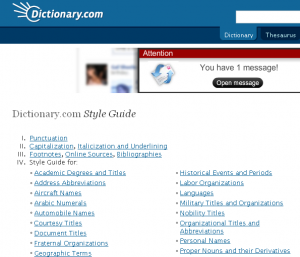
Dictionary.com | Style Guide (dictionary1.classic.reference.com/writing/styleguide/): – Those of you who are looking for something useful yet less complicated (i.e. no pedantic approach), Style Guide of Dictionary.com can serve a useful purpose. You can find valuable information on Punctuation, Capitalization, Italicization, Underlining etc here.

The Chicago Manual of Style Online (chicagomanualofstyle.org/home.html): – Do you want to play with words, if the answer is an emphatic Yes you should not miss out Chicago Manual of Style Online, which is a vast repository of valuable information, tips and tools.

Punctuation, Grammar and Spelling

Orangoo Free Spell Check (orangoo.com/spellcheck/): It is a handy tool, which lets you analyze the content of your website and thus relieving you from the burden of checking the entire content manually. It is good at pinpointing common grammatical mistakes that include spelling, punctuation, typos etc.

SpellCheckPlus (spellcheckplus.com/): – It is another powerful and effective tool for checking spelling and grammar. It fetches information from a strong database of information that contains proper grammar for the English Language.

Grammarly

Grammarly (grammarly.com/):- This is probably the best free online spelling, punctuation and grammar checking tool that give users valuable tips to enhance their writing styles and to keep the final write-up error free. You can check your current level of writing as Grammarly comes with a unique grading feature.

Resources, References and Research

OneLook Reverse Dictionary (onelook.com/reverse-dictionary.shtml): – You just cannot recall the exact phrase but you can definite it properly. If you are one of those people, who are tired of facing this kind of tantalizing situation, you should not give this nice little tool a miss.

Oxford Dictionaries Online

Better writing: Oxford Dictionaries Online (oxforddictionaries.com/page/betterwriting): – Learn writing style from the leader – Oxford. You can gather valuable information about standard grammar rules, Common mistakes, Easily confused words, British and American terms etc.

Reference.com: – This should come loaded with unlimited resource and information to boost your vocabulary and improve your writing skills in every possible way.

Merriam-Webster Online (merriam-webster.com/): – This is one of the most trusted and revered online dictionaries. You can find proper definition of words and exact information.

Wed 01
Dec
2010

Use of large photograph or a larger than life image can bring out the desired outcome in the field of website design, as it helps a website look truly different depending on the quality of the image. Since web designers are always striving to scale new heights by doing something different, strenuous efforts are being made into different directions more particularly in the above-mentioned domain for making significant improvement as far as the look and feel of a website is concerned.

Here in this article, we are going to share some websites that have successfully incorporated large background images:

signal7

Signal 7 (signal7.de): – Here in this website, the designer has used a unique image that makes it look truly different. Its image corresponds seamlessly with the theme of the design and thus adds a new dimension in it.

AlexArt

AlexArt (alexarts.ru/en/index.html): – This is a perfect specimen of what an image can do to a website. It has changed the very interface of the design and added a dramatic effect in it. A perfect piece of visual art that you can hardly ignore.

Upstruct

Upstruct (upstruct.com): – This website tries to curry flavor with the visitors by adding a large image of a person possibly the designer himself (however, we are not sure about it). Do not forget to check out its About Us section, it is crafted with so much passion that will make you think about it even after leaving the page.

food-inc-movie

Food Inc. Movie (foodincmovie.com): – With a big cow in the background, Food Inc has definitely managed to steal the attention of the viewers. The idea is definitely wacky but it does work.

Vivo-Group

Vivo Group (vivogroup.com.au): – This website has used different images and almost all of them are large enough to seize the attention of the viewers. Use of vivid color combination makes it look perfect and fascinating.

Campanino Golf Club

Campanino Golf Club (campaninogolfclub.it): – Tee of in style. Probably this was the motto of the designer as the lush green background is placed prominently in the website.

Your website looks good and impressive. So, why do you need to reformat or optimize your CSS? This is a valid question and thankfully, it has a valid answer. An optimized CSS file will help your website to get loaded quickly and thus increases the possibility of getting better visibility in different search engines. From developers’ point of view, optimizing CSS can prove extremely helpful since it will help them to pinpoint errors easily without wading through the muddles of complex and somewhat irrelevant codes.

However, if you were not so proficient in CSS, you would not have to press the panic button yet, since there are some free CSS tools available that can help you to optimize CSS codes without having any authority on it. Let’s check out some of these unique CSS optimization tools that can help you to make it large in the website design and development field: -

Clean CSS (cleancss.com/?lang=en): – This is a powerful CSS optimizer tool that comes loaded with a number of options that can help you make your website’s CSS codes more compact, clean and concise. Its options are a breeze to use and you would not have to waste painfully long time to get the hang of them.

CSS Compressor (csscompressor.com/): – This tool helps you to reduce the size of your CSS file by eliminating unwanted and irrelevant codes and thereby helping you to make your website load faster. CSS Compressor comes with four different levels of compression.

Code Beautifier (codebeautifier.com/)– Based on the already popular CSS parser – CSS Tidy, this tool can come in handy to clean up CSS codes of your website. Options of Code Beautifier are more or less similar to that of other CSS optimizer tools and that means, you would not have to struggle with its features. Some of its benchmark features are lower and uppercase formatting, font-weights, merge selectors, compress colors and many more.

CSS SuperScrub (isnoop.net/tools/css.php): – Truncate the complexities of your CSS codes by using the advance features of this revolutionary CSS optimization tool named – CSS SuperScrub. It is good at trimming down the size of the CSS file by eliminating redundant calls, by weeding out unneeded content and by grouping remaining element names precisely.

CSS Redundancy Checker (services.immike.net/css-checker/): – This is a simple tool but it is extremely effective since it helps you to locate redundant CSS codes that are not used by your HTML files.

Styleneat (styleneat.com/index.php): – This tool can help you to standardize and organize different CSS codes such as properties, sub-selectors and selectors. With this tool, you will be able to sort the properties alphabetically.

Mon 29
Nov
2010

Logo represents the brand image of an organization and thus it has to be placed in a prominent position so that it can be viewed easily. Now, since logo design is an integral part of an organization’s corporate identity, you need to be a bit cautious while coming to the crucial conclusion. Color combination, navigation, contrast etc are some of those issues that can make your life a complete misery while positioning a logo in a website. Here we are going to help you to promote the brand image of your website by placing your logo perfectly:

header image webguru

Header
This is probably the best and the most favorite place to position a logo. Header is the most crucial part of a website and therefore, you should incorporate your logo in the header section to maximize the chances of seizing the attention of viewers at the very first glance. Moreover, majority of users are in the habit of clicking on the logo to return to the home page and therefore, you should try to use the logo as an image rather than making it a part of the background image.

webguru favicon

Favicon
Favicon is a tiny little icon that appears just next to the URL of a website on your browser. By adding a favicon to your website, you can add a certain level of professionalism to a website. This practice helps surfers to locate a particular website from the crowd of other websites. By using a favicon, you can easily make your website looks different from the rest of the others.

webguru tweet

Use In different Social Media
If you want to feel the power of social media, do not forget to use your company’s logo as the profile picture. It will add value to your organization’s social presence besides helping people to locate your company easily and effortlessly.

Gravatars

Gravatar
Globally Recognized Avatar, which is alternatively known as “Gravatars”, is a popular service that is widely employed for providing a unique global identity. This is a unique of kind of its program in which a particular image is assigned to an email id. Try to use logo of your company while registering your email because it will help people to recognize you easily and effortlessly and thus it can help you promote your brand, whenever you comment on a blog or write something as a guest writer.

Guest Posts
This is anther great way to project your brand image and to introduce  yourself to a new breed of people in different communities. Guest posts can help you to get valuable traffic. Try to use logo as against your personal picture in the guest column since it will help you to increase brand awareness among people.

Email
Email marketing has always been a part of branding and  has proved instrumental in generating leads. You should try to exploit its unlimited benefits by featuring the logo of your company in the signature section. However, you can place it at fore of the newsletter or emails if you are comfortable with the ongoing email marketing campaign.

Running an online web store can help you to stay connected with potential customers even when you are not at your physical store. However, running a successful online business is not easy. As a new crop of ecommerce websites are coming to the internet, business owners are finding it overwhelmingly difficult to retain their positions. So, it is quite clear that if you wish to run an online business, you need to have a unique ecommerce website that can reflect the individuality of your business precisely. Here in this article, we are going to discuss some problems that can plague your ecommerce websites:

Hiding Contact Detail
This is almost a crime. If you are unwilling to reveal your contact details, visitors will never trust your website and that can have devastating impacts on your website. People like to interact with real person in case if they face any problems and therefore, you need to present your contact details precisely if you wish to win the trust of your visitors.

Incomplete Product Information
Online visitors conduct an extensive research before purchasing a particular product. They check all the details, its specifications, prices etc before making any crucial decision. So, if you want to increase conversion rate of your website, you need to furnish proper and full details of each product. By doing so, you will improve store shopping experience that will definitely have positive impacts on your online store.

Confusing Check out Process

Confusing Checkout Process
Almost half of the visitors eCommerce website receives leave the sites as soon as they reach the checkout page. It is the complexity of the checkout process that drives away such a huge number of visitors from your website. Now if you are adamant to turn the tide around you, you need to weed out unwanted complexities from the checkout page. Try to keep it simple as far as possible and do not test the patience of the visitors.

Rigid Payment Options

Rigid Payment Options
You should add flexibilities in the payment options in your ecommerce website. You should not restrict the payment option to MasterCard or Visa, because if you do so, you will not receive any order from PayPal account holders. Try to offer as many payment options as possible as it will act in favor of your online business.

Small Product Images
People like to have a feel of the product before buying it. Therefore, it has become imperative for an online web shop owner to add some standard size images of different products.

Compulsory Registration To Place An order
Do not force your visitors to get registered before being place an order since online shopper do not like to go through the complexities of sign up. You can make it optional.

Complex Navigation

Complex Navigation
This is the last thing that you should add in your ecommerce web design project. Try to place everything in perfect order otherwise; you are destined to lose some potential clients.